


Website Speed & Mobile Responsiveness: Why They Matter in 2026
Why website speed and mobile responsiveness matter for conversions and SEO, how Google’s Core Web Vitals work in 2026, and how to make your site faster.
You’ve probably heard that the average person now has a shorter attention span than a goldfish.
Good news: that stat doesn’t hold up. Bad news: your visitors are still impatient.
Your website is like a race car. It can have a shiny paint job and custom seats, but without a powerful engine, it’s just a pretty hunk of potential sitting in the garage.
And the stakes are real. In Google and Deloitte’s Milliseconds Make Millions study, improving mobile site speed by just 0.1 seconds led to retail shoppers spending 9.2% more, travel booking rates rising 10% and 21.6% more visitors on lead generation sites reaching the form submission page.
In this guide, you’ll learn why speed and mobile responsiveness matter, how Google measures them in 2026 and exactly how to make your site faster.
" A beautiful website that loads slowly is a race car with no engine. "
Why Website Speed Matters
Speed affects two things you care about: your visitors and your rankings.
1. Slow sites lose customers
Every extra second of loading gives people time to hit the back button. Faster pages mean more people make it to your product page, your form or your checkout. That’s exactly what the Milliseconds Make Millions study found across retail, travel, luxury and lead generation sites.
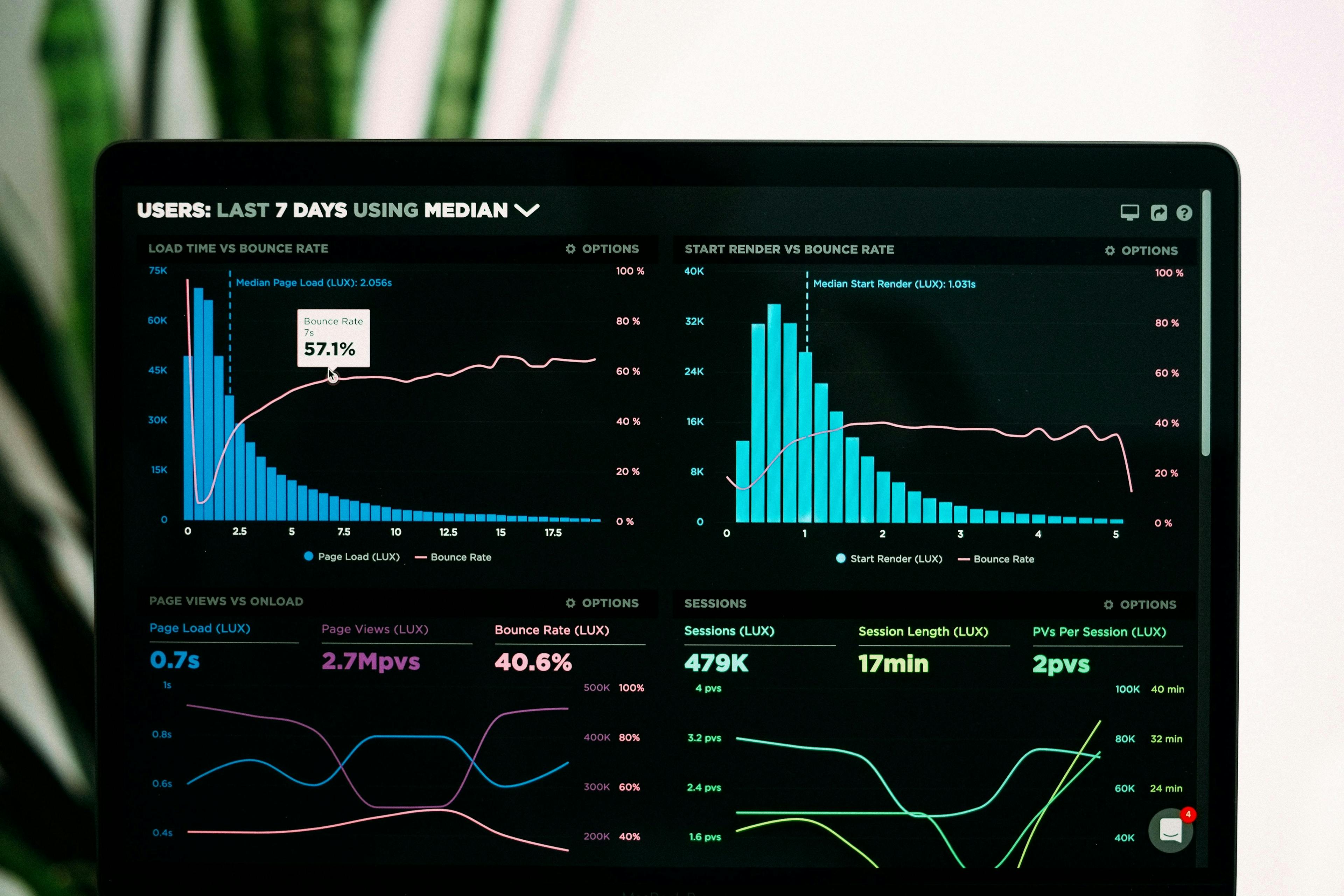
2. Google rewards fast, smooth sites
Google measures real-world user experience with a set of metrics called Core Web Vitals. In its own words, it highly recommends good Core Web Vitals “for success with Search,” because they align with what its ranking systems seek to reward.
Speed alone won’t rank a weak page. But when two pages are equally helpful, the faster, smoother one has the edge.
Core Web Vitals in 2026: The 3 Numbers That Matter
Google’s Core Web Vitals measure three things:
- Largest Contentful Paint (LCP) measures loading. Your main content should appear within 2.5 seconds.
- Interaction to Next Paint (INP) measures responsiveness. Your page should react to taps and clicks within 200 milliseconds.
- Cumulative Layout Shift (CLS) measures visual stability. Keep it at 0.1 or less, so buttons and text don’t jump around while the page loads.
A page passes when at least 75% of real visits meet all three targets, measured separately on mobile and desktop.
If you remember First Input Delay (FID), it’s gone. INP replaced it as a Core Web Vital in 2024, and it’s a tougher test: it looks at every interaction on the page, not just the first one.
How to Test Your Website Speed
The quickest way is Google’s free PageSpeed Insights. Enter your URL and you’ll get two kinds of results:
- Field data shows how real Chrome users experienced your page over the last 28 days, including your Core Web Vitals. This is what matters most for Google.
- Lab data is a simulated test with a performance score from 0 to 100. It’s great for finding what to fix.
Here’s how to read the performance score:
- 90 to 100: good
- 50 to 89: needs improvement
- 0 to 49: poor
For a site-wide view, check the Core Web Vitals report in Google Search Console. It groups your pages by status, so you can see which templates need work first.
How to Make Your Website Faster

Most slow websites suffer from the same handful of problems. Here’s where we look first:
- Optimize your images. Images are usually the heaviest part of a page. Serve modern formats like AVIF or WebP, size them for each screen and lazy-load images below the fold. Frameworks help here: Next.js Image does most of this automatically.
- Cut third-party scripts. Every chat widget, tracking pixel and embed adds weight. Keep the ones that earn their place, and load the rest after the main content.
- Load your hero content first. Make sure your main image and headline load right away, since they usually decide your LCP.
- Reserve space for images, ads and embeds. Setting their dimensions stops the page from jumping around and keeps your CLS low.
- Ship less JavaScript. Heavy scripts are the main cause of poor INP. Remove what you don’t use and break up long tasks.
- Use fast hosting and a CDN. Serving pages from a global edge network, with caching and pre-built pages where possible, cuts load times for visitors everywhere.
- Go easy on fonts. Use one or two font families, and only the weights you need.
" Speed isn’t a feature you add at the end. It’s a result of every decision you make. "
Mobile Responsiveness: Easy Access, Easy Life
Mobile isn’t the “other” version of your website anymore. It’s the main one.
According to StatCounter, about 60% of web traffic worldwide now comes from mobile devices. And Google uses the mobile version of your site for indexing and ranking. If your site works beautifully on desktop but struggles on a phone, Google sees the phone version.

Mobile responsiveness checklist
- Responsive layout: the design adapts to every screen size, with no sideways scrolling.
- Readable text: no pinching and zooming just to read a paragraph.
- Tap-friendly buttons: big enough for thumbs, with enough space between them.
- No intrusive pop-ups: nothing that covers the content as soon as the page loads.
- Same content as desktop: don’t hide important text or links on mobile.
- Tested on real devices: emulators help, but nothing beats checking on actual phones and tablets.
We run every one of these checks before launch. See our full website QA checklist for the rest.
Does Your Platform Affect Speed?
Yes, a lot. Your platform decides how much control you have over all of the above:
- Website builders are quick to launch and usually fast enough for simple sites, but you can’t fine-tune much under the hood.
- WordPress can be fast, but sites that rely on many plugins and heavy themes often struggle to pass Core Web Vitals. (We compare it with a headless setup in WordPress vs. Prismic.)
- Custom sites built with a modern framework like Next.js give you full control over images, scripts and caching. That’s how we build high-end sites at WLI, and we walk through the whole process in our custom website guide.

Ready to Start Your Engine?
Run your homepage through PageSpeed Insights today. If your Core Web Vitals are green, congratulations, you’ve got a race car. If they’re not, start with your images and third-party scripts. That’s where most of the speed is hiding.
Website Speed FAQ
Core Web Vitals are Google’s metrics for real-world user experience: Largest Contentful Paint (loading), Interaction to Next Paint (responsiveness) and Cumulative Layout Shift (visual stability).
Let’s Make Your Website Faster
Our development team builds fast, mobile-first websites and fixes slow ones, so your visitors stick around and your rankings follow.