


How to Build a Custom Website in 2026: Our 6-Step Process
When does your business need a custom website instead of a website builder? Here’s how we build high-end custom websites with multi-language, payments, CRM and search integrations, step by step.
In 2026, you can spin up a simple website in an afternoon. Pick a builder, ask an AI for some copy, hit publish. Done.

And for a lot of small businesses, that’s honestly fine.
But what if your website needs to take donations in four currencies? Speak six languages? Sync every gift to your CRM? Search thousands of articles in a split second?
That’s where the drag-and-drop magic runs out, and a custom website comes in.
In this guide, I’ll show you exactly how we build high-end custom websites at WLI: what goes into them, our 6-step process, how long it takes and which technology we build on.
" A builder gets you online. A custom website runs your operation. "
Do You Actually Need a Custom Website?
Let’s start with the honest answer: not everyone does.
If you need a few pages that explain what you do and a contact form, a website builder (with a little help from AI) will get you there quickly and cheaply.
A custom website makes sense when your site has to do things, not just say things. For example, when you need:
- Multiple languages or regional versions of your site
- Payments or donations in several currencies, through more than one payment provider
- Fast search across a large library of content
- CRM and email integrations, so every lead, order or gift lands in the right system automatically
- Advanced tracking, such as server-side conversion tracking and product analytics
- An online store, a mobile app or several sites that share the same content and components
If two or more of those sound like you, keep reading.
What a High-End Custom Website Looks Like
“Custom” gets thrown around a lot. Here’s what it means in practice, using sites we’ve built.
Bridges for Peace: Six Languages, Three Payment Providers
Bridges for Peace is a global humanitarian organization with branches around the world. Their site includes:
- Six languages: English, Hebrew, Korean, French, Spanish and Portuguese
- Donations through Stripe, PayPal and PayFast, in multiple currencies
- A CRM integration that records every online gift in Virtuous, their donor CRM
- Elastic-powered search across their content
- Advanced tracking with Google Tag Manager, PostHog and Meta’s Conversions API
Sid Roth: A Website, a Store and an App
Sid Roth’s ministry site is a media platform as much as a website:
- US and Canadian versions of the site
- A Shopify store connected to the site, plus donations through Stripe and PayPal
- Video and podcast libraries with fast search
- A mobile app built in React Native that shares the website’s content, so the team manages everything in one place
- Email marketing, transactional email and error monitoring behind the scenes
Vision for Israel: Four Branches, One Giving Experience
Vision for Israel raises support in several countries, each with its own entity and currency. Their site has:
- Six language versions, including Hebrew
- Single and recurring donations routed to the right branch (US, UK, Germany or the Netherlands) in the right currency
- Search, analytics and email marketing integrations
Jenzabar: Three Sites, One Codebase
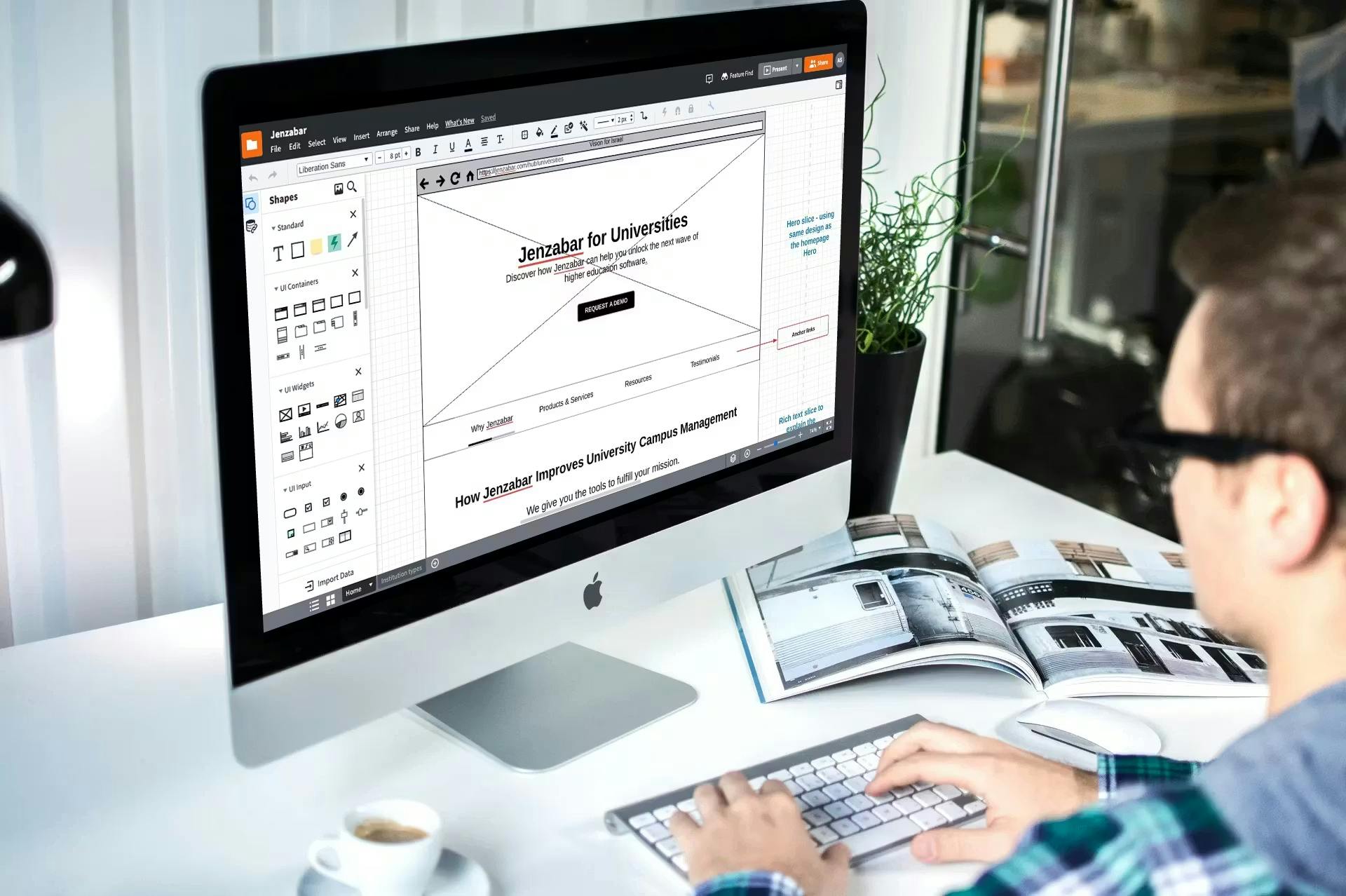
For Jenzabar, a higher education software company, we build and maintain a codebase that powers the main Jenzabar site and two related sites from shared components. It pulls their blog in from HubSpot and includes site-wide search.
Files.com: A Fast, Content-Rich SaaS Site
We built the Files.com marketing site on Next.js and Prismic, a headless setup that’s still powering the site today.
Notice the pattern? None of these sites are “just a website.” Each one is connected to the tools the business runs on.
Our 6-Step Custom Website Process
Here’s the exact process we follow, from the first meeting to launch day (and beyond).
Step 1: Messaging
We don’t start with code. We start with your story.
Using our HeroGuide method, we work with you to clarify who your customer is, what problem they face and how you help them win. That story becomes the backbone of every page and every call to action.
Skip this step and you get a beautiful website that nobody understands. (We’ve seen plenty of those.)
Step 2: Planning and Technical Specs
You wouldn’t build a house without blueprints. Websites are the same.
We map out every page in Figma wireframes and plan the sitemap with SEO in mind. For high-end sites, this is also where we spec out every integration: which payment providers, which CRM, which languages, which tracking events and how data moves between them.
This step is where the timeline and budget really get decided, so we take our time with it.
Step 3: Design
Next, our designers turn the approved wireframes into high-fidelity designs in Figma, using your brand colors, fonts and style. You can click through the designs like a real website and give feedback before a single line of code is written.
" Changing a design in Figma takes minutes. Changing it after it’s built takes days. "
Step 4: Development
Now the fun part. Our developers build every page and component in Next.js and Tailwind CSS, connected to a headless CMS (usually Prismic) so your team can edit content without touching code.

This is also where we build and test the integrations: payment flows, CRM syncing, search indexing, multi-language routing and tracking.
Step 5: QA
Before anything goes live, we test the site across the latest versions of Chrome, Safari, Firefox and Edge, and on phones, tablets and big screens.
We also test every form, payment flow and tracking tag, and set up redirects from your old URLs so you don’t lose your Google rankings. (Here’s our full website QA checklist if you want to see everything we check.)

Step 6: Launch and Ongoing Support
Once everything checks out, we deploy the site on Vercel and go live.
But launch day isn’t the finish line. A custom website is a living product: new campaigns, new pages, new integrations and regular framework updates. We’d love to stay on as your development team, so your site keeps improving instead of slowly aging.
How Long Does a Custom Website Take?
For a state-of-the-art, fully custom website, plan for roughly 6 weeks to 3 months.
Where you land in that range depends on three things:
- Your specifications. How many unique page types, features and user flows does the site need?
- The number of custom integrations. Every payment provider, CRM, store or search engine adds planning, development and testing time.
- Technical complexity. Multiple languages, currencies, regional branches or a companion app all add layers.
The biggest time-saver? Getting the messaging and specs right up front. Changes are cheap on paper and expensive in code.

Which Framework Should You Build On? Next.js vs. Gatsby
A few years ago, choosing a React framework was a real debate. Gatsby was great for fast static sites, and Next.js was the go-to for sites that needed logins, payments and other interactive features.
Today, it’s a much easier call.
Netlify acquired Gatsby in February 2023 and shut down Gatsby Cloud later that year. The framework still exists, but its momentum has slowed a lot. We wouldn’t start a new high-end project on it.
Next.js, on the other hand, keeps moving fast. Next.js 16 arrived in October 2025, and it handles both sides of the old debate: lightning-fast static pages and the server-side features custom sites need, like payment processing, webhooks and personalized content.
That’s why every site in this guide is built on Next.js.
And WordPress? It can work for simpler sites, but stacking plugins to fake custom features is a leading cause of developer hair loss. We compare the two approaches in WordPress vs. Prismic, and if you’re choosing a headless CMS, see Prismic vs. Contentful.
Don’t Forget Performance
A custom website should also be a fast one. Google measures real-world speed with three Core Web Vitals:
- Largest Contentful Paint (LCP): how fast the main content loads. Aim for 2.5 seconds or less.
- Interaction to Next Paint (INP): how quickly the page responds when someone taps or clicks. Aim for 200 milliseconds or less.
- Cumulative Layout Shift (CLS): how much the page jumps around while loading. Aim for 0.1 or less.
Heavy integrations can slow a site down if they’re bolted on carelessly, so we plan for performance from day one. More on that in our guide to website speed and mobile responsiveness.
Custom Website FAQ
A custom website is designed and developed specifically for your business instead of being assembled from a template. It can include integrations a template can’t handle well, such as multiple languages and currencies, payment providers, CRM syncing, search and advanced tracking.
Let’s Build a Website That Does More
From multilingual donation platforms to multi-site codebases, our development team builds custom websites that connect to the tools your business runs on.