Effective Wireframing in UX Design: The Definitive Guide (2026)
Don't waste money on bad design. Learn how to create effective wireframes that reduce development costs and boost UX. Featuring 2026 tools and the 1:10:100 rule.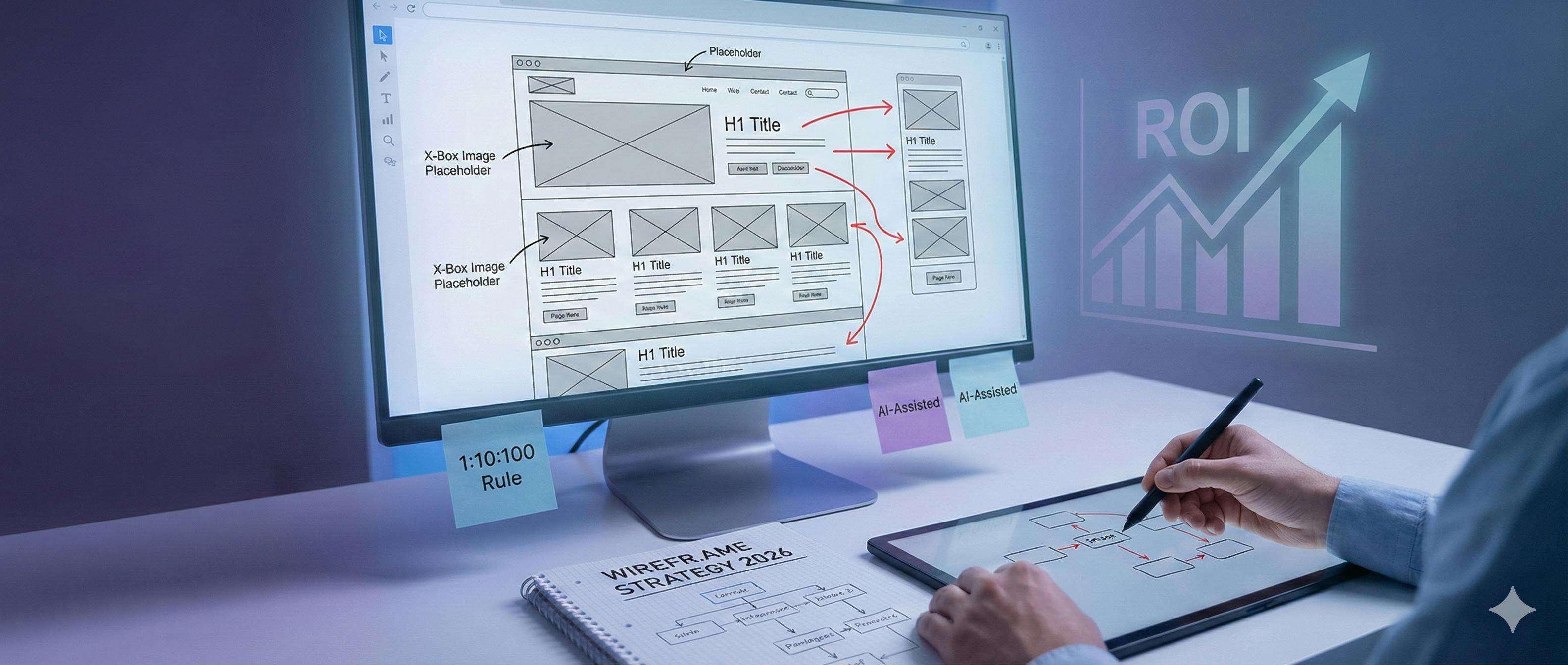
Let’s be honest:
Most people want to skip straight to the "pretty" part of design.
The colors. The high-res images. The animations.
That is a huge mistake.
Building a website without a wireframe is like building a house without a blueprint. Sure, you might finish, but don't be surprised when the bathroom is in the kitchen.
Here’s the deal:
In this guide, I’m going to show you exactly how to create wireframes that save you thousands in development costs and skyrocket your user experience (UX).
I’ll also reveal the 2026 tools we use at With Love Internet to stay ahead of the curve.
Let’s dive in.

The "1:10:100" Rule (Why This Matters)
In the world of software engineering, there is a famous rule:
It costs $1 to fix a problem in the design phase, $10 to fix it during development, and $100 to fix it once the product is live.
Research shows that every $1 invested in UX (like wireframing) yields a return of $100.
That’s a 9,900% ROI.
By spending an extra few hours on your wireframe today, you are literally saving your future self weeks of headaches.
Chapter 1: The 9 Essential Tips for Effective Wireframes
At With Love Internet, we’ve built hundreds of custom apps and websites. Here is the framework we use every single day.
1. Start with a "Strategy First" Plan
Before you draw a single line, you need to know why the page exists. We start every project with a Wireframe Guideline Checklist. The goal? To list every mandatory feature before the designer even opens Figma. If you don't know the goal, you can't design the path.

2. The "Greyscale" Rule (Keep it Simple)
Here is a secret: Colors are a distraction. If you show a client a wireframe with a blue button, they will spend 20 minutes talking about the shade of blue.
Pro Tip: Stick to grey, white, and black. Focus on where things go, not how they look. Save the "high-fidelity" polish for later.

3. Treat Your Wireframe Like a Map
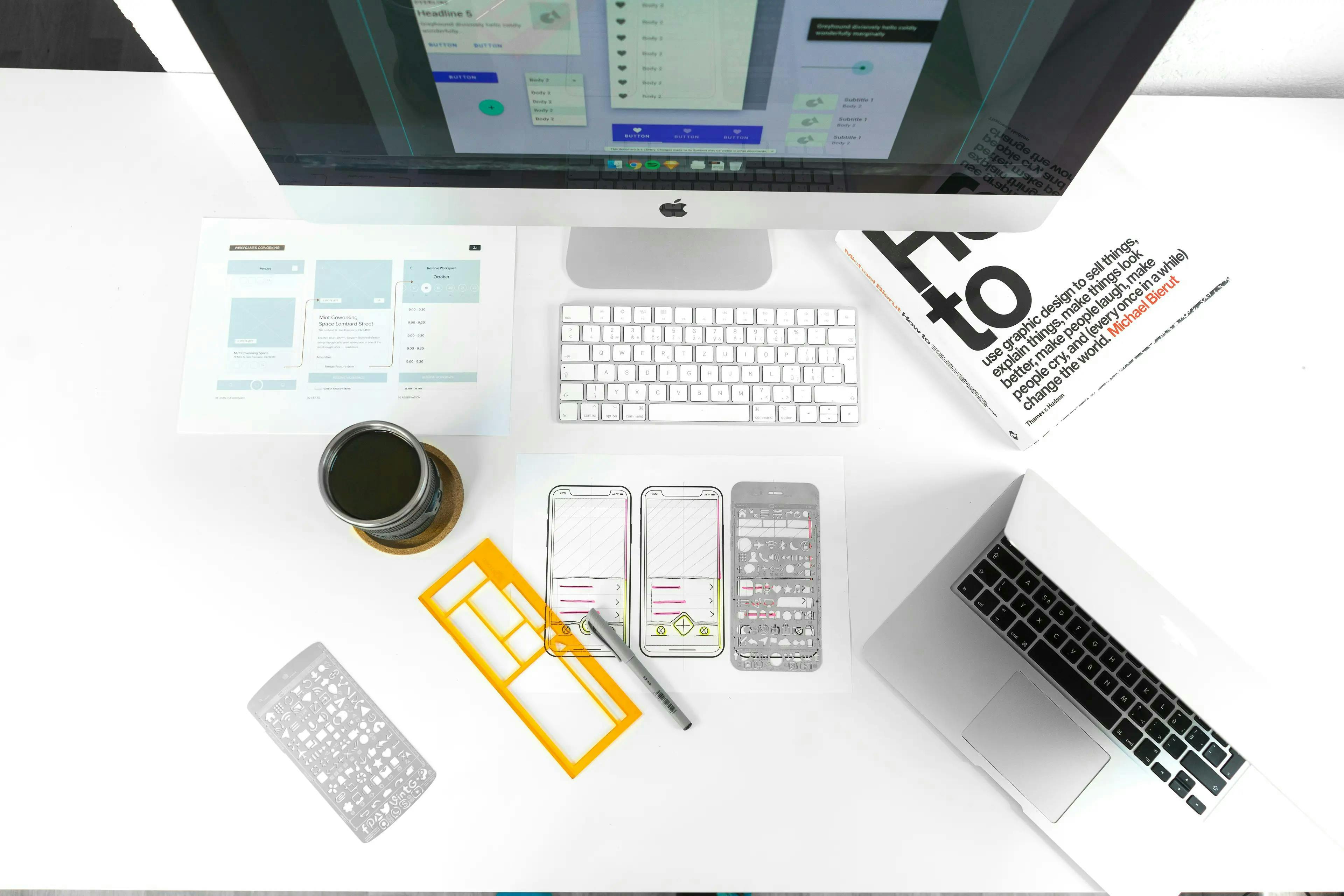
Ever seen a map without a legend? It’s useless. Your wireframe should be self-explanatory. At our agency, we use specific visual cues:
- X-Boxes: Represent images.
- H1/H2/H3 Tags: Indicate text hierarchy.
- Black Rectangles: Primary CTAs.

4. Use Professional-Grade Tools
Stop using PowerPoint. Seriously. In 2026, Figma is still the gold standard for collaboration. It allows our team and our clients to leave comments in real-time, ensuring nothing gets lost in translation.

5. Map the "User Flow" (The Red Arrow Technique)
A wireframe isn't just a static image; it's a journey. We use Red Arrows to show exactly where a user goes when they click a button. Does it open a popup? Does it lead to a checkout page? If you don't map the flow, your developer will have to guess. (And you don't want them guessing).
6. Use "Real" Content (Ditch the Lorem Ipsum)
"Lorem Ipsum" is the enemy of good design. Why? Because real headlines are never the same length as Latin placeholder text. Do this instead: Use realistic names, job titles, and product descriptions. This ensures your layout won't "break" once the real content is uploaded.

7. Focus on Functionality over Aesthetics
Is it a slider? A carousel? A static grid? Your wireframe needs to communicate motion and function. If an image is clickable and opens a video player, add a "Play" icon. Don't leave it to the imagination.
8. The "Two-Head" Rule (Seek Feedback)
Designing in a vacuum is dangerous. At With Love Internet, we believe in "Designer Blind Spots." Getting a fresh pair of eyes on a wireframe can reveal navigation issues that you were too close to see.
9. Document Everything (Be the Architect)
Remember: You are working with humans, not mind readers. Add annotations to the side of your wireframes. Explain why a certain element is placed there. Clear communication is the "greased slide" to a successful build.

Chapter 2: The 2026 Wireframing Revolution
The industry is changing fast. Here is what we are seeing in 2026:
1. AI-Assisted Wireframing
Tools like v0.dev and Uizard are now allowing designers to generate low-fidelity layouts from simple text prompts. But there’s a catch: AI can build the structure, but it can’t build the strategy. We use AI to speed up the "grunt work" so we can spend more time on your brand's unique UX.
2. Accessibility-First Wireframes
Accessibility isn't an afterthought anymore. In 2026, Google's algorithms heavily penalize sites that aren't WCAG compliant. We now annotate wireframes with ARIA labels and screen-reader instructions before a single line of code is written.
3. Component-Based Design Systems
Instead of designing "pages," we design "components." This ensures that your brand looks consistent whether a user is on a 30-inch monitor or a 5-inch smartphone.

Ready to Turn Your Vision Into a Blueprint?
Wireframing is where "ideas" become "assets."
If you are planning a new project, don't leave the layout to chance. A little investment in the "nitty-gritty" now will save you a fortune in the final development stage.
At With Love Internet, we specialize in high-performance digital architecture.
Whether you need a custom app or a conversion-focused website, we’ve got the tools and the expertise to build it right—the first time.
👉 Book a Design Strategy Session with Our Team